SLOWLOCK
FOR ANDROID
A pause between you and the app.
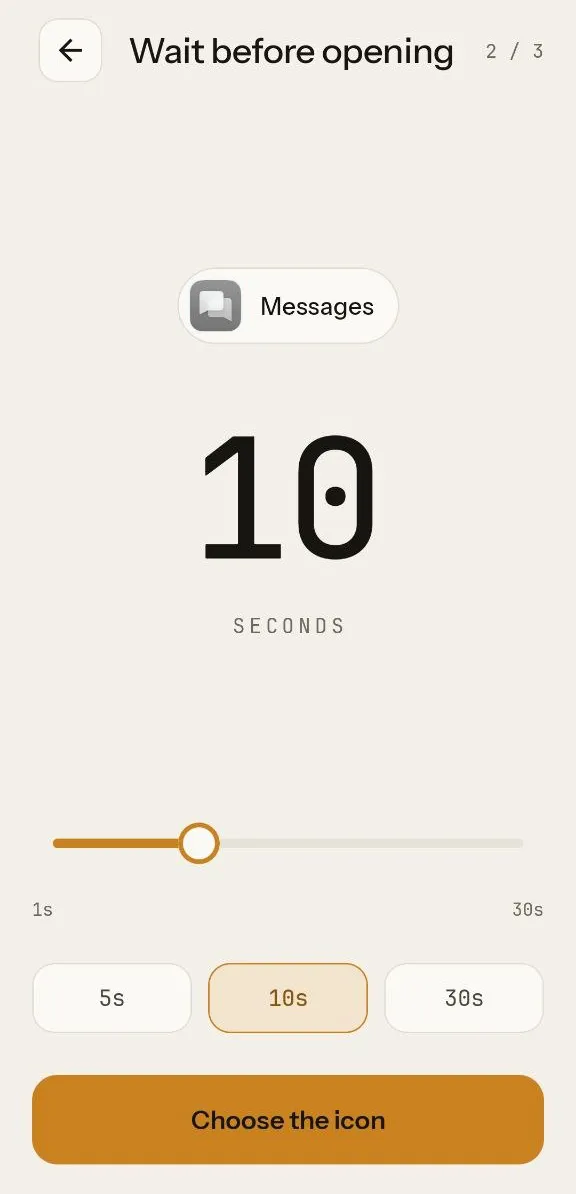
Pick an app, choose how long to wait, and put the shortcut on your home screen. Tapping it shows a blank screen for the seconds you chose, then opens the app.
Get it on Google Play
Free · no accounts · no analytics
HOW IT WORKS
Three steps, once per app.
01
Choose an app
Search your installed apps and pick the one you reach for without thinking.
02
Set the wait
Anywhere from one to thirty seconds. Long enough to notice you opened it.
03
Add the shortcut
It lands on your home screen with the app's own icon, or a gray or inverted one.
WHY IT EXISTS
Blocking apps makes you want them more.
Most habits on a phone are not decisions. The hand moves, the app opens, and a few minutes are gone before anything was chosen. Blockers answer this with a wall, and a wall invites a workaround.
SlowLock does one thing instead: it puts a few empty seconds where the reflex used to be. Nothing is forbidden. If you still want the app after the wait, it opens. Often you will have already put the phone down.
No streaks
No counters
No shaming
Open source, all of it.
The app makes no network calls, and you can check that yourself. Read the source, build it, or file an issue.